
如何使用带回放功能的在线麦克风测试
This guide will show you how to use the online mic test tool to check if your microphone is working properly.
Step 1: Allow Microphone Access
- Visit the online mic test website.
- When prompted by your browser, click “Allow” to grant the website access to your microphone. This is usually a pop-up near the address bar at the top of your screen (on PC) or requires scrolling up (on mobile).
- 如果您的浏览器阻止弹出窗口,您可能看不到授予扬声器或麦克风访问权限的提示。
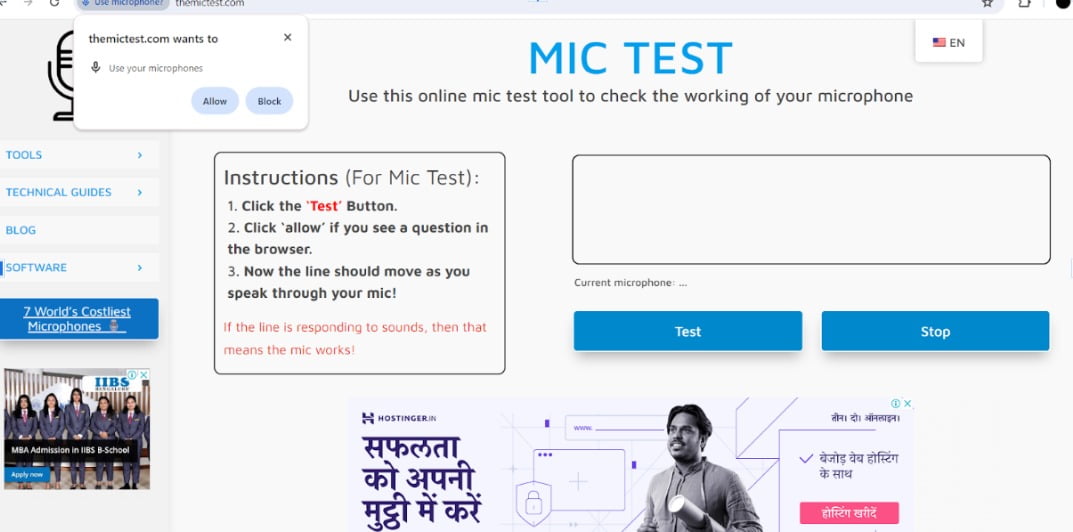
Step 2: Test Your Microphone
- Click the button labeled “Test” or “Start test”.

Step 3: Speak into the Microphone
- Say a few words or make some noise into your microphone.

Step 4: Observe the Results
- If your microphone is working correctly, you should see a line moving up and down in the test area as you speak.
尖端:
- If you don’t see the line moving, try speaking louder or refreshing the page.
- Make sure your microphone is not muted and the volume is turned up in your device settings.
- If you’re still having trouble, consult the website’s troubleshooting guide for further assistance.
- 如果仍然遇到问题,themictest 网站上有故障排除指南,可提供进一步帮助。
 ZH
ZH  EN
EN  DE
DE  ES
ES  FR
FR  JA
JA  KO
KO  VI
VI  HI
HI  RU
RU  PL
PL  ID
ID